
Backup & Disaster Recovery
Business continuity planning with managed backups, tested restores, and documented recovery objectives. Delivered by a local MSP serving Victor Valley / High Desert, Victorville, Apple Valley, Hesperia, Adelanto, Barstow, Oak Hills, San Bernardino County, Riverside County, Orange County, Los Angeles County.
Quick answer: Backup and disaster recovery is the process of protecting business systems, defining recovery time and data-loss targets, and testing restores before a disruption. Sonic Systems helps Southern California organizations document RTO/RPO expectations, validate backups, and plan recovery from hardware failure, accidental deletion, ransomware, and regional outages.
Backup and Recovery Planning Starts With Business Impact
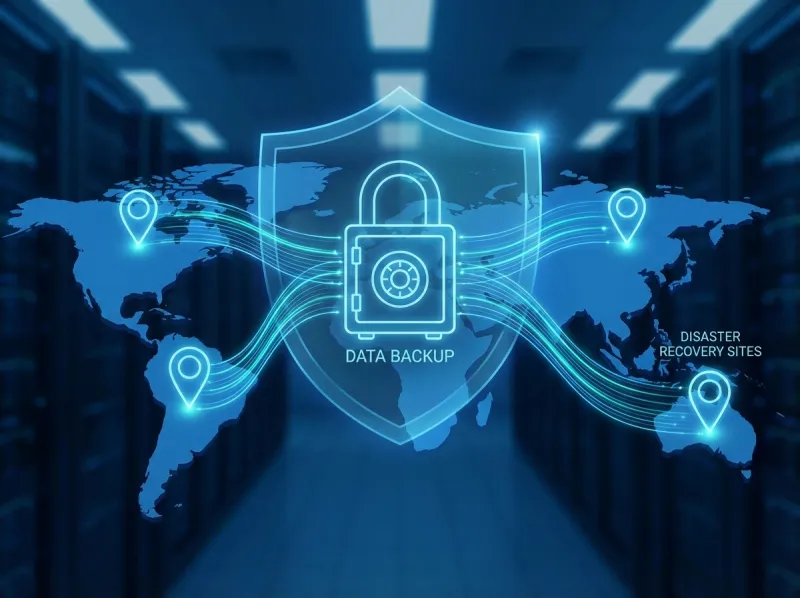
A successful backup job does not answer whether the business can recover. The useful questions are which systems and data are covered, how much data loss is acceptable, how long each critical workflow can be unavailable, who can change or delete recovery points, and what a recent restore test proved. Those answers define the recovery plan before technology is selected.
Sonic Systems maps business priorities to recovery time objectives and recovery point objectives, then reviews the protection method for each workload. Depending on the environment, that can include file and image-based backup, local and offsite copies, geographic separation, protected retention, cloud workload coverage, Microsoft 365 or other SaaS review, and recovery runbooks. Not every system needs the same recovery method or investment.
Restore testing should be scoped and documented. A useful record identifies what was restored, the recovery point used, the steps required, the time observed, the validation performed by the system owner, and any remediation that remains. Testing a file is different from testing a server, application, identity dependency, or full business workflow, so buyers should ask exactly what the provider means by a tested backup.
For Southern California organizations, continuity planning may also need to account for ransomware, internet and power outages, facility access, cloud-service dependencies, and regional events. A practical runbook names decision owners, communication paths, vendors, system dependencies, clean-recovery considerations, and the order in which operations should return.
How to Compare Backup and Disaster Recovery Services
A backup product is not the same as a recovery plan. Compare providers by how they define recovery objectives, protect backups from ransomware, test restores, document runbooks, and support recovery decisions during a real outage.
RTO and RPO mapping
Each critical system should have a documented recovery time objective and recovery point objective tied to business impact.
Restore testing
Restore tests should record the tested scope, conditions, observed result, dependencies, validation, and any open remediation. A test result is evidence, not a fixed recovery promise.
Ransomware resilience
Evaluate whether backup access, retention, monitoring, and recovery procedures reduce the chance that an attacker can damage recovery points.
Cloud and SaaS coverage
Confirm whether Microsoft 365, cloud workloads, endpoints, servers, and line-of-business systems are included in the recovery plan.
Useful next pages
Localized backup and continuity guidance for Orange County searches.
RTO/RPO guideHow to set realistic recovery targets before choosing tools.
Cybersecurity servicesSecurity controls that reduce ransomware and account compromise risk.
Free IT assessmentValidate current backup posture before a disruption forces the question.
How a Backup and Recovery Engagement Works
Recovery planning starts with business impact and system dependencies, not a backup product or a generic recovery promise.
Set business priorities
Identify critical workflows, decision owners, maximum acceptable downtime, maximum acceptable data loss, and legal or contract constraints.
Map protection coverage
Document servers, endpoints, cloud workloads, Microsoft 365 or other SaaS data, applications, identities, vendors, and recovery dependencies.
Design the recovery plan
Select protection, access separation, retention, recovery, communication, and clean-environment options for each approved workload.
Test and improve
Run scoped restore tests, record the observed result and validation, update the runbook, and assign unresolved remediation.
Who This Is For
- Businesses that depend on servers, cloud applications, Microsoft 365, shared files, or line-of-business systems to operate.
- Organizations with contractual, insurance, or regulatory expectations for retention and recoverability.
- Teams whose backup coverage or restore history is incomplete or undocumented.
- Companies that need recovery priorities and decision owners agreed before an outage.
- Businesses reviewing recovery from hardware failure, accidental deletion, ransomware, power events, or regional disruption.
Common Challenges We Solve
- Backup jobs report success, but no documented restore test confirms that useful data or systems can be recovered.
- Production and backup access share credentials or administrative paths, increasing ransomware recovery risk.
- Recovery time and recovery point objectives are not tied to business impact or approved by system owners.
- File, image, cloud workload, SaaS, endpoint, and application coverage do not match the organization's actual data map.
- Recovery runbooks omit decision owners, communication steps, vendor contacts, dependencies, or a clean recovery environment.
What's Included in Our Backup & Disaster Recovery Service
- Business-impact review and documented RTO and RPO targets for the systems and data that matter most.
- Coverage mapping across physical servers, virtual machines, endpoints, cloud workloads, applications, and SaaS data as applicable.
- File-level, image-based, local, offsite, and cloud recovery options selected according to workload and recovery needs.
- Ransomware-aware backup design, including access separation, retention, monitoring, and protected recovery points where appropriate.
- Restore testing with the test scope, date, result, recovery steps, and follow-up items documented.
- Microsoft 365 and other SaaS retention and backup review based on deletion, account compromise, legal, and operational requirements.
- Recovery runbooks that identify priorities, dependencies, decision owners, vendor contacts, communication paths, and clean-recovery considerations.
Planning Goals
- Leadership-approved recovery priorities instead of assumptions made during an outage.
- Documented evidence showing what was tested, what restored, and what still needs remediation.
- A recovery design that accounts for ransomware, local system failure, cloud data, and regional disruption.
- Clearer retention and recoverability documentation for contractual, insurance, and compliance-readiness needs.
- A practical recovery runbook that business and technical decision makers can review together.
Local, Practical IT Guidance for Southern California Businesses
Sonic Systems supports businesses throughout Victor Valley, San Bernardino County, Riverside County, Orange County, and Los Angeles County. Our recommendations are based on your operations, staffing, risk profile, and budget, so improvements are realistic and measurable.
FAQs: Backup & Disaster Recovery
Answer-first details to help you evaluate fit, scope, and rollout expectations.
Backup & Disaster Recovery Across the High Desert and Southern California
Remote-first support across our listed service areas, with on-site work where included in scope for the location and engagement.
Location-specific Backup & Disaster Recovery pages
Related IT Services
Pair this service with nearby capabilities to reduce handoffs and improve results.